[ILLUSION] Koikatu! - Questions & General Discussion Thread

M

MorumoMerry

Veteran Member
Joined
Apr 6, 2025
Messages
119
Reaction score
435
Points
63
Credits
4,965

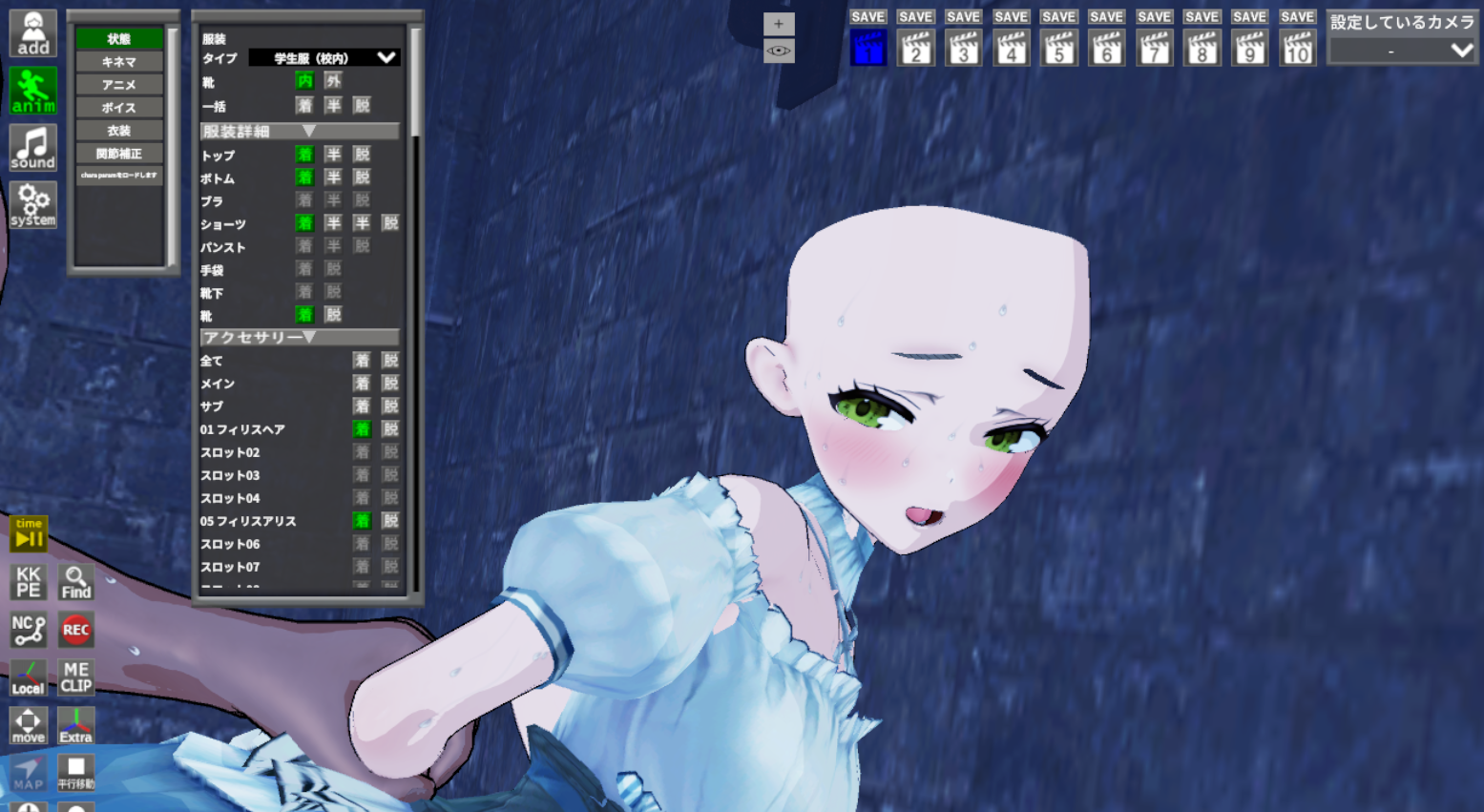
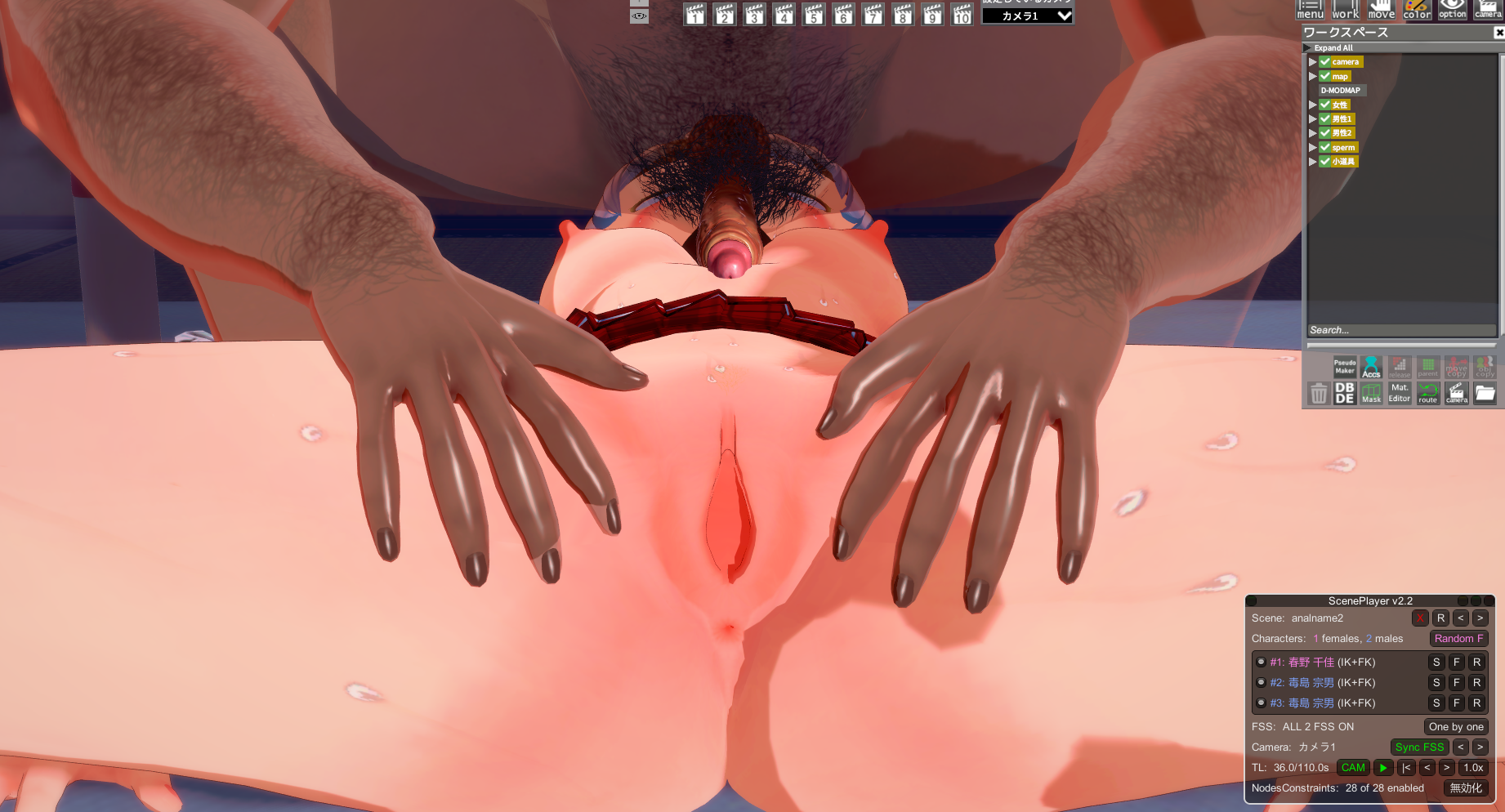
In a scene with an animation of a vagina opening, replacing the character causes the opening animation to stop working. How can I fix this?
I've attached the scene data and reference images from that time.
If the body is made of BP, I think it will move.
 
J

Jacqueline Octave

New member
Joined
Apr 20, 2026
Messages
4
Reaction score
0
Points
1
Credits
20
・Try the T-pose
 →This usually fixes the problem
・Adjust the position of the arms and legs yourself
 →If you swap characters and there’s a difference in their body types, it will look odd
・Disable nodes that are constrained by node constraints
→For example, if the right hand is fixed, the right elbow will deform accordingly

Ultimately, it depends on the scene
well thanks, I managed to fix it by disabling node constraint, but what im asking is what's the common reason for the animation deforming, because i tried more scenes and all of them pretty much deforms
 
N

N1OFP

Active Member
Joined
Aug 3, 2025
Messages
52
Reaction score
56
Points
18
Credits
704
Ah, no that's not the issue. What I mean is that the animations of the characters don't play, like, the male character doesn't move at all, it's just static. The female character moves with a lot of jank. If it wasn't because the timeline is full of hundreds of interpolation nodes, I would've assumed it was literally a WIP scene. I don't get it.
It's probably the plugin.
I think it's outdated.
Upgrading to the most recent HF Patch fixed it.
 
housebreak99

housebreak99

Veteran Member
Joined
Jun 10, 2025
Messages
39
Reaction score
403
Points
53
Credits
4,725
E0VUB0H.png


Press F1 then go to to miscellaneous untick always show eyes (You can do this in characters editors. I am just testing here.)
Ozb1bRG.png


7BuMKvE.png

I hope it works out for you
still wont show in-game. i tried changing shaders, only works on char studio, not in-game. Did some kind of digging. turns out the iris are rendering below the face/eyes. what could be the reason???

View: https://i.imgur.com/E3ZtLGR.png
 
Last edited:
housebreak99

housebreak99

Veteran Member
Joined
Jun 10, 2025
Messages
39
Reaction score
403
Points
53
Credits
4,725
it was never ticked
If Sera's method doesn't work then mine doesn't either in-game. Idk what other method to fix. Is all your kirikumori cards have that exact kind of problem or is it just the Shiori card? I don't have any eyes problem loading all the card except this one that I used as example. Is your game updated with latest HF patch?
 
Eixa

Eixa

Veteran Member
Joined
Jun 20, 2025
Messages
81
Reaction score
546
Points
83
Credits
5,730
Having an issue with the HF patch as of ver.338 every time I go to the cards tab the game seems to not respond for a while, then it just crashes im not sure what's causing this to happen not sure what ver of the patch I had before I updated it maybe its a plugin or somthing idk
 
KeikakuDoori

KeikakuDoori

New member
Joined
Oct 19, 2025
Messages
12
Reaction score
1
Points
3
Credits
70
If Sera's method doesn't work then mine doesn't either in-game. Idk what other method to fix. Is all your kirikumori cards have that exact kind of problem or is it just the Shiori card? I don't have any eyes problem loading all the card except this one that I used as example. Is your game updated with latest HF patch?
Now'd you mentioned it. It's happening on both Kirikumori's and Hatoko's (just the Shiori card for now). the card and the mods existed before any of the newer HF patches(I was on 3.X) but to be safe, I just updated it now to 3.38, tho Im not sure if its the latest but they're still not showing in-game.

Try exporting the eye texture from Material Editor, and applying them onto eye overlays. Hopefully this method works for you.
There's already an imported eye overlay

Just to confirm, are the eyes set to the default settings?
5Gtimem.png
I'm not really sure what you mean by eye default settings. But my UI does look like that when I load the card. is there a setting like "reset to default" for eye/iris?

btw thanks guys for sticking with me. it means a lot
 
Sera

Sera

Veteran Member
Joined
Mar 12, 2026
Messages
118
Reaction score
511
Points
93
Credits
5,515
Now'd you mentioned it. It's happening on both Kirikumori's and Hatoko's (just the Shiori card for now). the card and the mods existed before any of the newer HF patches(I was on 3.X) but to be safe, I just updated it now to 3.38, tho Im not sure if its the latest but they're still not showing in-game.


There's already an imported eye overlay


I'm not really sure what you mean by eye default settings. But my UI does look like that when I load the card. is there a setting like "reset to default" for eye/iris?

btw thanks guys for sticking with me. it means a lot
I have that exact card, yet had no such issues weird : o (I do not play the main game, only studio)
I can think of another thing though, try adjusting the eye white's render queue, perhaps the iris is rendering behind the eye whites, causing what ur seeing right now.
Here's the steps :
  1. Open ME

  2. find the cf_m_sirome material (This is for the eye whites)

  3. Adjust the renderqueue up or down (or both to test) a few hundred values
 
T

turncoat

Active Member
Joined
Nov 13, 2024
Messages
85
Reaction score
69
Points
18
Credits
1,275
Is there a way to make a character have expression during a Scene ? Some cards expression remain flat after I loaded them into a scene...
 
M

MorumoMerry

Veteran Member
Joined
Apr 6, 2025
Messages
119
Reaction score
435
Points
63
Credits
4,965
The two characters' outfits are grouped under the “TOP” category.
However, Barbara is classified as wearing a skirt, while Hyacine is not.
This is likely because Barbara is wearing a dress.
Is there a way to add a “skirt” classification for Hyacine?

OxUU15a.png
 
FaizDude

FaizDude

Active Member
Joined
Sep 15, 2025
Messages
42
Reaction score
54
Points
18
Credits
920
quuick question is there a good version of coordinate load Option or is there is a way to you know it fit works
 
Ehz

Ehz

Well-known Member
Joined
Jan 29, 2026
Messages
24
Reaction score
126
Points
28
Credits
1,755
rEl1GBU.jpeg
Anyone know why my charamaker has this plane thing that makes my chara looks blurry?
 
LordBubnub

LordBubnub

KK Master
Joined
Oct 9, 2025
Messages
390
Reaction score
1,212
Points
93
Credits
14,082
Does anyone know how to work with PostProcessing Effects? I'm so close to replicating the DOLLHOUSE's style. This is what they posted before and after post processing effects. I'm at the exact same problem.

BEFORE
SGNbcPP.png

AFTER
fjdByWY.png


Where I'm at
ntLJdY6.png

I'm genuinely so so close. Just a bit more, but I have no idea what I'm doing to tweak these settings. I'll take any help I can get. 🙏

This is what I'm working with.
 
Ehz

Ehz

Well-known Member
Joined
Jan 29, 2026
Messages
24
Reaction score
126
Points
28
Credits
1,755
Does anyone know how to work with PostProcessing Effects? I'm so close to replicating the DOLLHOUSE's style. This is what they posted before and after post processing effects. I'm at the exact same problem.

BEFORE
SGNbcPP.png

AFTER
fjdByWY.png


Where I'm at
ntLJdY6.png

I'm genuinely so so close. Just a bit more, but I have no idea what I'm doing to tweak these settings. I'll take any help I can get. 🙏

This is what I'm working with.
Seems to me you need to enable depth of field here so the background will get the blurry filter in your after pic?
 
N

N1OFP

Active Member
Joined
Aug 3, 2025
Messages
52
Reaction score
56
Points
18
Credits
704
QKFMBeV.jpeg


I want to make this sundress transparent, which I already know how to do with Material Editor and alpha masks, but I don't know how I can get the bra clothing to appear, nothing happens even if I make the character fully naked. Anyone know some advice?
 
LordBubnub

LordBubnub

KK Master
Joined
Oct 9, 2025
Messages
390
Reaction score
1,212
Points
93
Credits
14,082
QKFMBeV.jpeg


I want to make this sundress transparent, which I already know how to do with Material Editor and alpha masks, but I don't know how I can get the bra clothing to appear, nothing happens even if I make the character fully naked. Anyone know some advice?
You can put the bra in the accessories. Though, you won't be given the bra 1/2 state but it might be what you're looking for. Also how do you see half states in maker? 😅

q37Cjye.png
 
LordBubnub

LordBubnub

KK Master
Joined
Oct 9, 2025
Messages
390
Reaction score
1,212
Points
93
Credits
14,082
I'd say some blue shift, I think can be achieve by enabling fog, but can't really tell how much of the blueshift satisfy your eye here
jXjpPUs.jpeg
My eye is really looking for the exact texture and shading, but I appreciate the help dude. I tried that with the fog, but it's not yet there 😅 only thing left is postprocessing effects.
 
N

N1OFP

Active Member
Joined
Aug 3, 2025
Messages
52
Reaction score
56
Points
18
Credits
704
You can put the bra in the accessories. Though, you won't be given the bra 1/2 state but it might be what you're looking for. Also how do you see half states in maker? 😅

q37Cjye.png
Yeah, I don't want to do that precisely because I want half states. I don't know what it is with this sun dress clothing, cuz other tops work "properly". Decided to abandon the idea cuz I couldn't find a bra that didn't clip or looked odd.

There's an option in the right sidebar that says"Show clothing state menu". It allows you to toggle clothing states as well as accessories, you can see it right there on your screenshot.
 
R

ralf

New member
Joined
Mar 23, 2026
Messages
2
Reaction score
1
Points
3
Credits
325
When I load Misaki's atelier CC, the hair (accessory?) doesn't show up.
There is no missing mods, so what could be causing this?
 
Y

yeseyesey(^-^)V

New member
Joined
Aug 17, 2025
Messages
16
Reaction score
5
Points
3
Credits
810
I'm curious about Mightymeat's scene card. Even after deleting all its contents, it still occupies 39.9MB. I believe this is the culprit behind the slow loading, but I can't find anything else that can be deleted..
Please provide assistance.
:)
 
LordBubnub

LordBubnub

KK Master
Joined
Oct 9, 2025
Messages
390
Reaction score
1,212
Points
93
Credits
14,082
Yeah, I don't want to do that precisely because I want half states. I don't know what it is with this sun dress clothing, cuz other tops work "properly". Decided to abandon the idea cuz I couldn't find a bra that didn't clip or looked odd.

There's an option in the right sidebar that says"Show clothing state menu". It allows you to toggle clothing states as well as accessories, you can see it right there on your screenshot.
Ah maybe there's a function to get clothes in accessories in half states. I'm not sure if that's possible. Anyways, thanks for points the "Show Clothing state menu" I completely overlooked that.
 
Durahan333

Durahan333

Senior Member
Joined
Jun 26, 2025
Messages
172
Reaction score
236
Points
43
Credits
3,015
um idk if this is correct place to ask, but I'll ask
anyone have idea how I should remove the blush effect from this face texture without making it look bad? (I use GIMP btw)
it's from kurosu gatari's doujin chara card (im not telling u which one but it's specifically from that one person who mark his cards)
here's the file
thamk
 
N

N1OFP

Active Member
Joined
Aug 3, 2025
Messages
52
Reaction score
56
Points
18
Credits
704
Ah maybe there's a function to get clothes in accessories in half states. I'm not sure if that's possible. Anyways, thanks for points the "Show Clothing state menu" I completely overlooked that.
I figured it out btw. there's a checkbox in the clothes settings tab that says something like "unlock all tops and underwear" or something like that. Enabling it allowed the bra to show although it clipped pretty bad like I was expecting.
 
N

N1OFP

Active Member
Joined
Aug 3, 2025
Messages
52
Reaction score
56
Points
18
Credits
704
URHAy9Y.png


Siiiiigghhh, ok now i have a different problem. I didn't realize that these windows in Studio now have had their height crippled, it used to be like twice or triple the height, how tf do i change it?? this is so annoying
 
M

MorumoMerry

Veteran Member
Joined
Apr 6, 2025
Messages
119
Reaction score
435
Points
63
Credits
4,965
um idk if this is correct place to ask, but I'll ask
anyone have idea how I should remove the blush effect from this face texture without making it look bad? (I use GIMP btw)
it's from kurosu gatari's doujin chara card (im not telling u which one but it's specifically from that one person who mark his cards)
here's the file
thamk
 
S

SeagullsAreEvil

New member
Joined
Aug 29, 2024
Messages
12
Reaction score
9
Points
3
Credits
775
JKnU7ET.png


anyone has any clue how to fix the invisible hair/accessory in silhouettes?
go into material editor and adjust the render queue of the accessory lower than the render queue of the door
 
K

koishi1

Member
Joined
May 17, 2025
Messages
20
Reaction score
17
Points
3
Credits
760
QQ-1777734333415.png

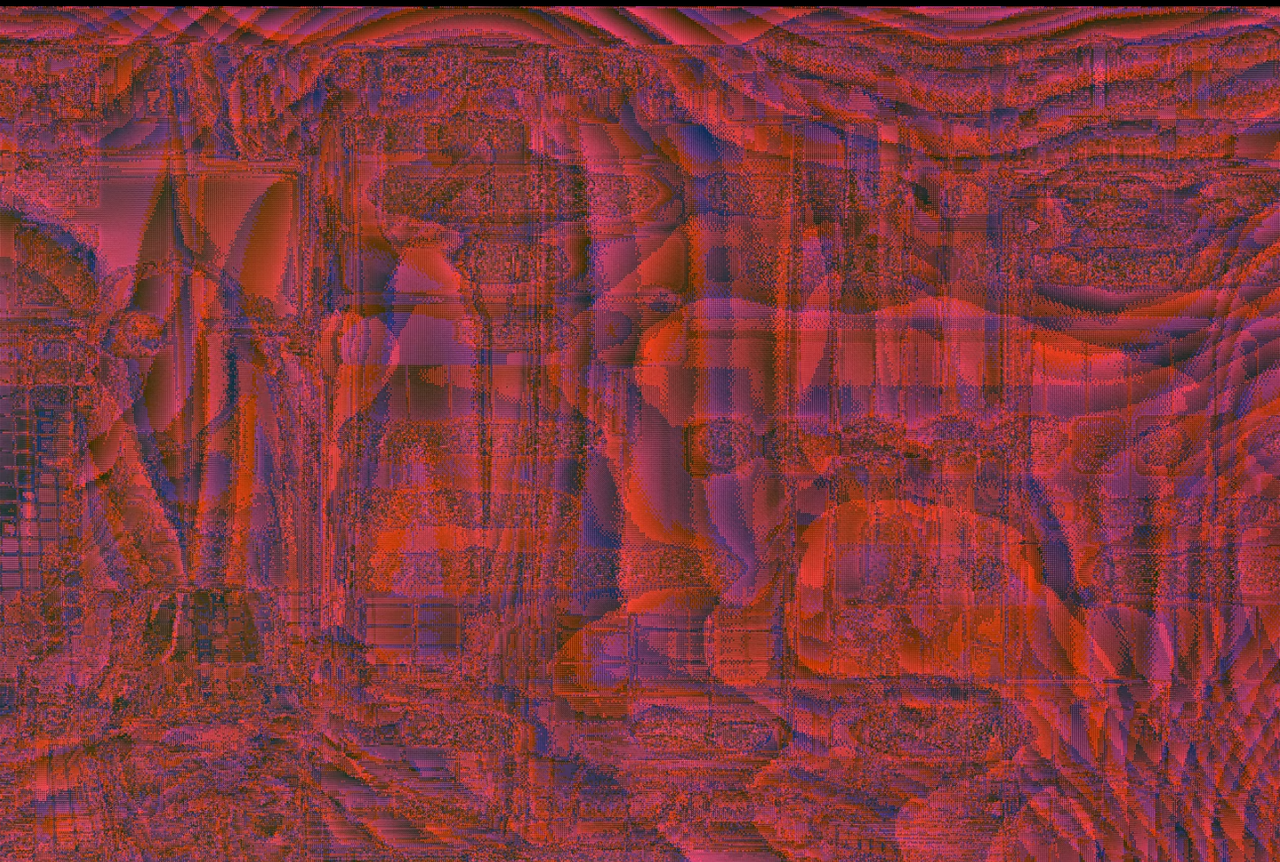
What should I do if the recording from version 2.0.3 becomes a blurry mess of red after exporting with Reshade?
 
Top
これは閲覧専用の自動翻訳ページです。返信・検索・ログインなどの操作は、オリジナルの英語版サイトへ移動してください。 英語版で開く (Open in English) ×